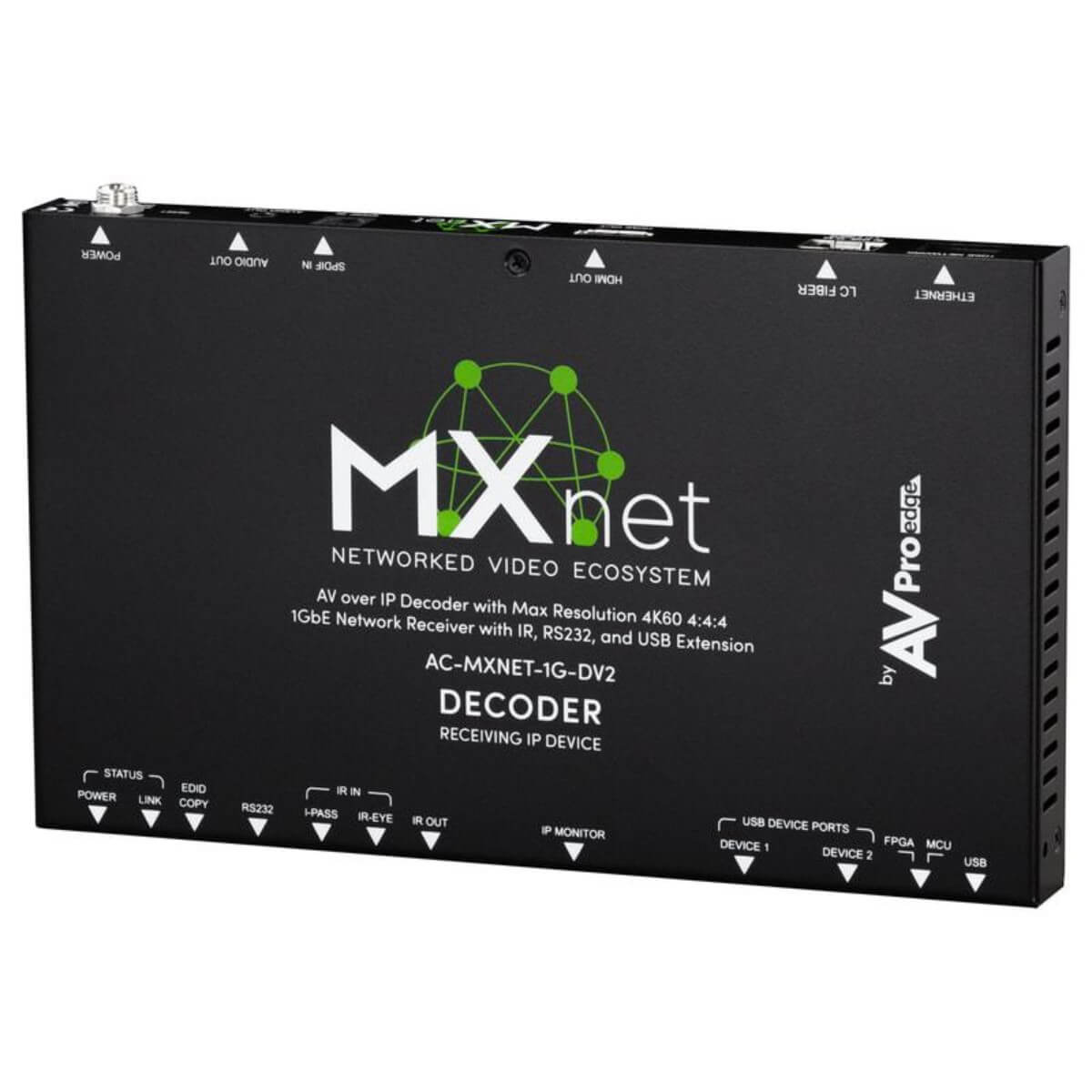

AVPro Edge AC-MXNET-1G-DV2
MXNet 1G Evolution II Decoder
- 4K/60fps, 4:4:4 support including Dolby Vision and HDR10+
- Supports high bitrate, multi-channel audio codecs including
- Dolby Atmos and IMAX Enhanced DTS:X
- High-speed USB 2.0 for Webcam and KVM bi-directional support



Description
The AVPro Edge AC-MXNET-1G-DV2 is the Evolution II decoder in the MXnet 1G AV-over-IP family. It sits at the destination end of the system, receiving multicast video from an AC-MXNET-1G-EV2 encoder over Cat 6a or fiber through an MXnet switch (or any compatible multicast-capable managed Layer 3 switch) and passing the decoded picture to a local display over HDMI.
A newly designed AVPro Edge ASIC lets it decode 4K/60 4:4:4 signals (RGB and YCbCr at 10 and 12-bit) along with high-bitrate multichannel audio, including Dolby Atmos and DTS:X.
Video is carried with an optimized JPEG 2000 codec at roughly 200 Mbps for 1080p, 300 Mbps for 4K/30 and a peak of 850 Mbps for 4K/60, so a standard gigabit network handles the load. Frame-synced Genlock keeps video walls tear-free with near-zero latency, and the unit runs fan-less on typically 7 watts or less.
Pair it with the AC-MXNET-SW24 or AC-MXNET-SW48 switches, which are pre-configured for MXnet traffic, and manage the whole system from MXnet Mentor.
Evolution II decoders must be used with Evolution II encoders. First-generation units such as the AC-MXNET-1G-D can share the same network, but their signals are not interoperable with this decoder.
Key Features
- 4K60 4:4:4 decoding: RGB or YCbCr at 10 and 12-bit, with Dolby Vision, HDR10, HDR10+ and HLG passed through.
- JPEG 2000 with Genlock: visually lossless picture and tear-free frame sync across every decoder in a video wall.
- Video wall ready: supports an unlimited number of walls, each up to 64 panels in standard or mosaic-style layouts.
- Control passthrough: RS-232, IR and USB signals travel inside the encoded stream, so one network cable carries video, audio and control.
- Cool and quiet: fan-less design with chip-top heatsinking and typical power draw of 7 watts or less.
- Copper or fiber: connects to the network over category cable (Cat 6a recommended) or fiber.
Design and Installation Notes
Why JPEG 2000? Unlike MPEG-style codecs built on discrete cosine transforms, JPEG 2000 uses a wavelet transform that supports lossless or lossy compression and is optimized for applications with limited bandwidth.
It is used for theatrical content by Digital Cinema Initiatives, for HD broadcasting by television networks and for critical medical imaging under DICOM. Inside MXnet it also makes Genlock possible, so every decoder in a wall shows the same frame at the same moment.
For installation, use Cat 6a wherever new cable is pulled, connect encoders and decoders to the same MXnet switch or compatible Layer 3 network, and plan Evolution II endpoints in matched pairs. A TAA-compliant version of the Evolution II decoder is also available for projects with sourcing requirements.
Typical Applications
Typical uses include boardrooms, lecture halls, control rooms, digital signage and multi-display video walls, anywhere one source must reach many screens without a matrix switcher. Browse more AV over IP extenders or the full MXnet range.
Frequently Asked Questions
Can I mix Evolution I and Evolution II MXnet devices?
They can coexist on one network, but their AV signals are not interoperable. Evolution II decoders like the AC-MXNET-1G-DV2 only receive from Evolution II encoders.
What network switch does the AC-MXNET-1G-DV2 need?
A multicast-capable managed Layer 3 switch. AVPro Edge MXnet switches such as the AC-MXNET-SW24 and AC-MXNET-SW48 ship pre-configured for MXnet AV-over-IP, which makes setup simpler.
What cable should I use?
Cat 6a is recommended for all MXnet deployments, though Cat 5e will carry MXnet 1G signals. Fiber is also supported.
Does it support video walls?
Yes. Genlock frame-syncing keeps decoders in sync, and walls of up to 64 panels are supported in standard or artistic layouts.
Specifications
- Genlock frame-syncing ensures video walls are free from image-tearing
- Near-zero latency, visually imperceptible
- Not Compatible with V1 Systems