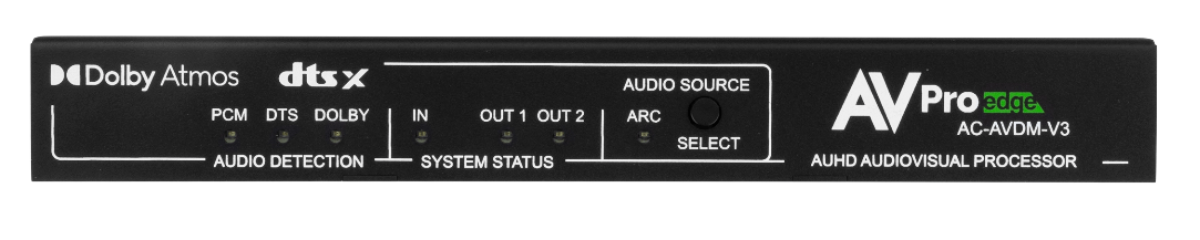

AVPro Edge AC-AVDM-V3
18Gbps HDMI 8-Channel Audio Downmixer


- HDMI 2.0a/b input and output with 18Gbps
- Full 12 Bit HDR Support
- Perfect AVR Bypass deliver 18Gbps to Display and uncompressed audio to AVR
- Downmix Audio formats up to 7.1-Channel to 2-Channel Stereo



Description
Feed surround sound to a theater system and create a stereo feed for a second zone from the same source. The AVPro Edge HDMI audio downmixer converts supported formats up to 7.1 channels into two-channel audio.
It also supports bitstream passthrough for a compatible AV receiver and handles HDMI video up to 4K60 4:4:4 within its 18 Gbps limit.
Stereo output options include analog RCA and optical or coaxial digital audio. One of the two HDMI outputs can downscale video to 1080p, which helps when an older receiver is still useful for audio.
Using a compatible display and ARC enabled, the unit can also extract audio from the TV's return channel. The HDMI path can carry supported multichannel PCM or bitstream audio while the downmixer creates a stereo feed for equipment such as a two-channel amplifier.
If the installation also needs HDMI source selection, an 8K 4x2 HDMI matrix switcher can handle routing. Any feed sent into this downmixer must stay within its 18 Gbps input limit.
Setting up the audio path
Downmixing combines channels to create a usable stereo program. It is particularly useful when a second zone needs dialogue and effects that would otherwise be spread across surround channels. Decide which destination needs the original bitstream and which one needs stereo before assigning the HDMI and audio outputs.
For a living room with a surround system and a nearby stereo zone, the source can retain its multichannel output. Test the surround path and the stereo feed using the same program, including quiet dialogue, before setting the zone levels. Also verify sound from a built-in TV app if ARC is part of the design.
Map the audio path from source to playback equipment before wiring. Decide which device selects the source and which controls listening volume. Test each input and playback zone with familiar program material so it is easy to hear a missing channel or identify a level mismatch during setup.
Specifications
- Uncompressed HDMI Bitstream Audio (Dolby Atmos, DTS-X)