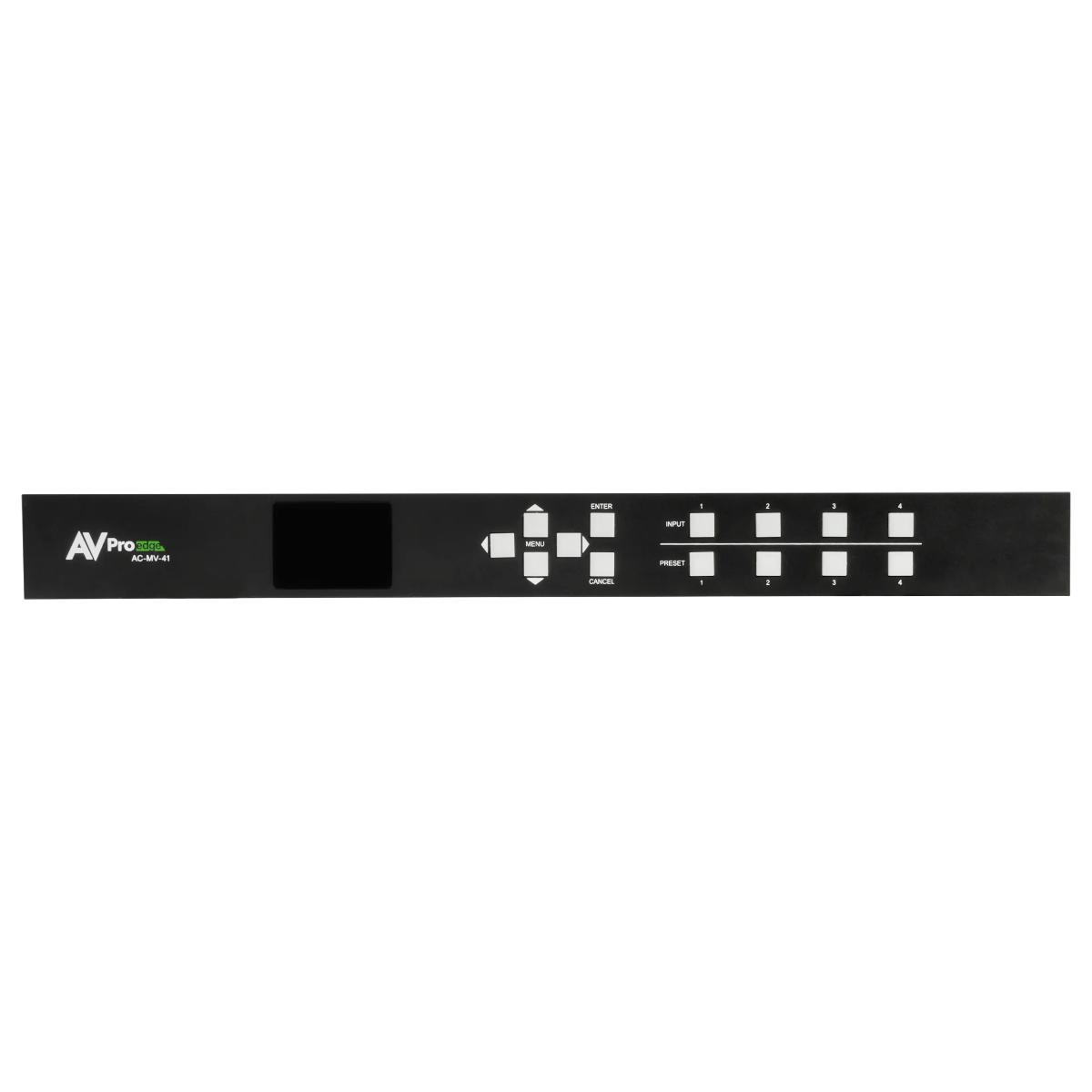

AVPro Edge AC-MV-41
4K 4x1 Multi-viewer

-Maciej Z.



Description
The AVPro Edge AC-MV-41 shows up to four HDMI sources on one display. You can use a quad view, a large main picture with smaller windows, or a single full-screen source.
Layouts are saved as presets and managed through the STILE app for iOS and Android, or through a control system.
All four inputs and the single output support HDMI 2.0 and HDCP 2.3, up to 4K60. Each input has its own HDMI loop-out, so a source can also feed another AC-MV-41 or an AV-over-IP system.
To combine mixed sources on one screen, the processor removes HDR metadata and converts the signal to RGB. The loop-outs sit before this step, so other displays can keep the original HDR signal.
Supported HDMI audio includes Dolby Atmos, DTS:X and LPCM up to 7.1. HDMI cable runs are rated up to 50 ft on passive Bullet Train cable, or 130 ft on Bullet Train active optical cable, at 4K60 4:4:4. The unit draws about 23 W from the included 12 V supply and weighs 7 lb. Rack ears, rubber feet and five 5-pin audio cables come in the box.
Key Features
- 4 HDMI inputs with 4 loop-outs, and 1 HDMI output
- 18 Gbps bandwidth, with EDID management
- RCA inputs for alternate audio
- 5-pin balanced stereo audio output
- LAN and RS-232 control, with a web interface
- Drivers for Control4, RTI and ELAN
Typical Applications
Suits sports viewing, security monitoring, traffic monitoring and industrial displays. It feeds one display only, so a video wall needs a different processor.
Frequently Asked Questions
Will the composite image show HDR?
No. The unit strips HDR metadata so mixed sources can share a screen. HDR content can continue through the loop-outs.
Does the analog output downmix surround audio?
No. It extracts the front left and right channels. Multichannel content plays as encoded and may be missing dialogue, so use a stereo source setting where possible.
Can I use a laptop with no HDMI audio?
Yes. The RCA inputs can assign alternate audio to follow the video.
Do I need a control system?
No. STILE offers drag-and-drop layout control from a phone or tablet.